Samsung's Enhanced DeX on Tablets: A Leap Forward in Productivity
Unleashing Tablet Potential: The Future of DeX is Here
A Fluid Transition: The Evolution of Samsung DeX for Enhanced User Experience
Historically, activating DeX on a Samsung tablet involved a distinct mode switch, akin to booting a separate operating system. This often resulted in noticeable delays, with previous models like the Tab S10 Plus requiring several seconds to transition into or out of DeX. The latest update, however, redefines this interaction. With One UI 8, starting with the Tab S11 lineup and extending to other compatible tablets, DeX integrates directly into the recent apps interface. This innovative approach allows users to effortlessly access a DeX desktop simply by swiping within the recent applications view.
Seamless Operations: Multitasking Redefined with Instant Access and Application Management
Upon entering the DeX environment, users are greeted with their familiar home screen, where applications launch in resizable pop-up windows by default. These windows can be easily manipulated, snapped to different sections of the display, or expanded to full screen. A key advantage of this new system is the elimination of loading times; users can now switch between the standard Android interface and their DeX desktops instantly, without any interruption to open applications. This enables users to maintain separate workflows, such as having work-related applications open in DeX while simultaneously managing personal entertainment apps in the regular Android environment, with the added convenience of dragging and dropping applications between these two distinct modes.
Enhanced Workspace: Leveraging Virtual Desktops for Organized Productivity
Further bolstering its multitasking prowess, the revamped DeX supports up to four distinct desktop environments concurrently. This mirrors the virtual desktop functionality found in many traditional operating systems, empowering users to organize applications into different DeX screens based on their tasks or preferences. The ability to seamlessly navigate between these multiple virtual desktops, alongside the standard Android interface, signifies a substantial improvement in how users can manage their digital workspace on a tablet. This new level of fluidity finally transforms DeX into the truly seamless multitasking experience it was always envisioned to be, removing previous frustrations associated with loading times and application resets.
Desktop Aesthetic Compromises: A Shift Towards a More Touch-Centric Interface
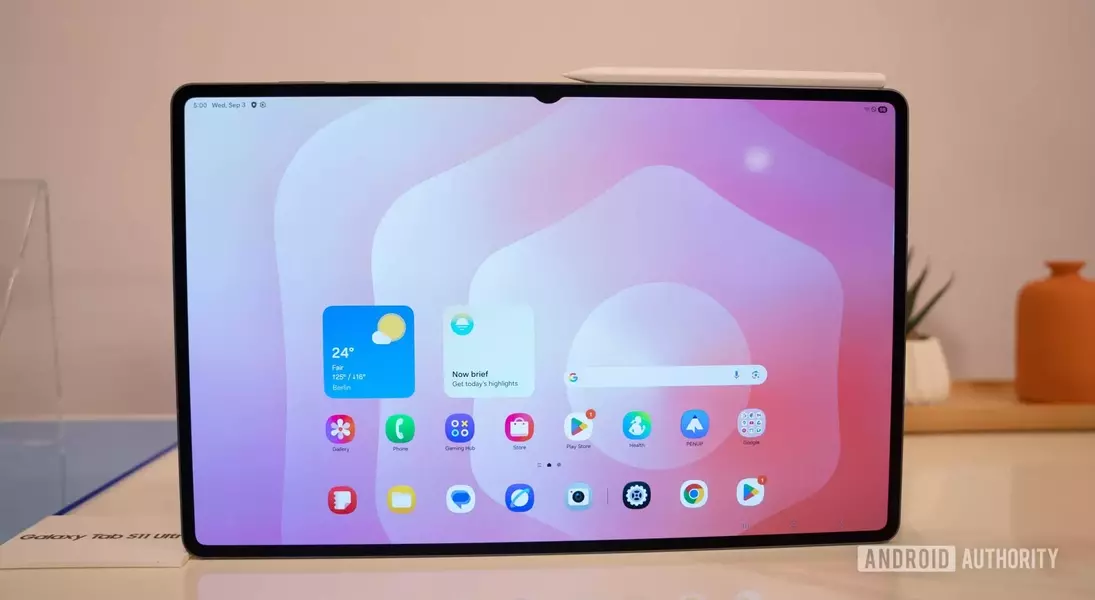
Despite the considerable improvements in fluidity and multitasking, the updated DeX experience does present a notable alteration: it now utilizes the standard One UI home screen. Previous DeX iterations offered a distinct desktop-like interface, complete with a Windows-style taskbar featuring an app drawer, search shortcut, and navigation buttons optimized for mouse interaction. These elements significantly enhanced usability for keyboard and mouse peripherals, making navigation and notification management more efficient. The transition to the standard Android UI means that these desktop-oriented conveniences are no longer present, potentially making the keyboard and mouse feel less integrated into the user experience.
The Double-Edged Sword: Balancing Touch Optimization with Traditional Desktop Demands
The decision to adopt the standard Android UI within DeX might be seen as a step backward for users who heavily rely on keyboard and mouse input, especially given Samsung's provision of keyboard cover accessories for its tablets. Actions like navigating home or backward, which were previously straightforward with a mouse, now require gestures that can feel less natural without a dedicated desktop interface. Ideally, Samsung could have offered both options: retaining the more desktop-centric DeX behind a toggle for specialized needs, while introducing the new, touch-friendly version for everyday use. As it stands, the more traditional desktop experience is largely relegated to external monitor connections. Nevertheless, this new direction for DeX, despite its trade-offs, represents a significant positive stride, offering an unparalleled tablet multitasking experience that even surpasses competitors like Apple's iPad OS.